
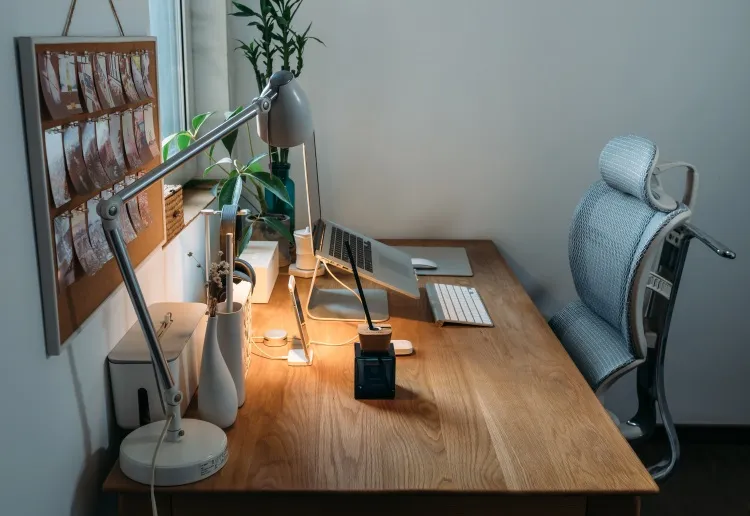
The Hidden Cost of Poor Ergonomic Workstation Setup
An aching back, stiff neck, or throbbing wrists – these aren’t just minor issues. They could be signs of a much bigger issue. A poorly set up workstation can lead to serious, long-term health problems and significantly impact your productivity. And it’s more than comfort; it’s about safeguarding your well-being and maximizing your work output.
The Physical Toll of a Suboptimal Workspace
Our bodies aren’t designed to sit in the same position for extended periods.
Traditional office setups often force us into unnatural postures, leading to musculoskeletal disorders (MSDs). These disorders, which range from carpal tunnel syndrome to lower back pain, can be debilitating and even limit career progression or career end! Think of your body like a well-oiled machine: if you consistently push it beyond its intended limits, components will eventually break down.
The Productivity Drain of Discomfort
Beyond the physical consequences, a poorly designed workstation can significantly impact your productivity. Constant discomfort is a major distraction, making it hard to focus and perform at your best. Imagine trying to concentrate on a detailed report while dealing with a persistent headache or nagging back pain. This lack of focus leads to reduced efficiency, increased errors, and a decline in overall work quality.
This issue became even more prevalent with the rise of remote work. The COVID-19 pandemic significantly accelerated the adoption of home offices. Pew Research Center data reveals that only 20% of U.S. workers were remote in early 2020. That number skyrocketed to 71% by December 2020. This rapid shift left many without proper ergonomic setups. German studies show that only 7% of home offices were ergonomically equipped before the pandemic.
Many workers started improvising arrangements, increasing their ergonomic risks. This resulted in a surge of MSD cases, emphasizing the need for a well-designed workspace no matter where you work. For more detailed statistics, check out this resource: 15 Statistics You Need to Know About Home Office Ergonomics.
Long-Term Implications for Your Health and Career
Ignoring ergonomics can have great long-term consequences. Untreated MSDs can cause chronic pain, limited mobility, and even disability. This affects not only your physical health but also your mental well-being and career prospects. Investing in a proper ergonomic workstation isn’t just a short-term cost; it’s a long-term investment in your overall health, career, and quality of life.
Taking a proactive approach to workspace design can minimize the risks and enhance your well-being. The next section will discuss the key elements of creating an effective ergonomic workstation, enabling you to build a workspace that supports both your body and your productivity.
Building Your Ergonomic Workstation: The Essential Elements
A well-designed ergonomic workstation isn’t just about comfort; it’s about investing in your long-term health and productivity. It’s about moving beyond generic advice and understanding the key elements that truly make a difference. Ergonomics experts emphasize a holistic approach, considering how each component interacts to create a supportive and efficient workspace.
The Foundation: Choosing the Right Chair
Your chair is the most important part of your ergonomic setup. You spend a significant portion of your workday seated, so proper support is crucial. Look for chairs with adjustable lumbar support that conforms to the natural curve of your spine. This promotes proper posture and reduces back strain.
Adjustable seat height and armrests allow you to customize the chair to your body, ensuring optimal comfort and alignment.
Positioning for Success: Monitor Placement
Monitor placement significantly impacts neck and eye strain. The top of your screen should be at or slightly below eye level, positioned an arm’s length away. This positioning minimizes neck craning and eye strain, reducing headaches and fatigue. For dual monitor setups, angling the screens slightly inwards creates a natural focal point.
Wrist-Friendly Typing: Keyboard and Mouse Arrangement
Keyboard and mouse placement is crucial for preventing wrist injuries like carpal tunnel syndrome. Position your keyboard directly in front of you, with your elbows bent at a 90-degree angle and wrists straight.
A wrist rest can provide additional support and help maintain a neutral wrist position. Your mouse should be close enough to avoid reaching and placed at the same height as your keyboard.
Creating Ergonomic Harmony: Integrating Different Components
Workstation components often come from different manufacturers. The key is ensuring they work together effectively. A keyboard tray can help achieve proper keyboard and mouse positioning regardless of desk height.
Monitor arms offer flexibility in screen placement, accommodating various monitor sizes and user preferences. You might also find flexible workspace solutions helpful: How to master flexible workspace solutions.
The Data Speaks: Optimizing Your Setup
The following data chart illustrates the impact of a proper ergonomic setup on common workplace discomforts:

As the chart shows, implementing ergonomic principles significantly reduces back pain, neck pain, and wrist pain. Back pain decreased by 60%, neck pain by 50%, and wrist pain by 40%. These improvements highlight the tangible benefits of a well-designed workstation. A small investment in ergonomics can lead to significant improvements in well-being and productivity.
To further illustrate the benefits of incorporating ergonomic principles, let’s look at a comparison of some essential equipment:
Introducing the “Essential Ergonomic Equipment Comparison” table. This table compares different types of ergonomic equipment and their benefits, helping you make informed decisions when setting up your workstation. It also includes key features to look for and guidance on ideal positioning.
| Equipment Type | Key Features to Look For | Benefits | Ideal Positioning |
|---|---|---|---|
| Ergonomic Chair | Adjustable lumbar support, adjustable seat height and armrests, breathable fabric | Promotes proper posture, reduces back strain, improves circulation | Seat height adjusted so feet are flat on the floor, lumbar support positioned to support the natural curve of the spine, armrests adjusted to allow elbows to rest at a 90-degree angle |
| Monitor | Adjustable height and tilt, anti-glare screen | Reduces eye strain, neck pain, and headaches | Top of the screen at or slightly below eye level, arm’s length away |
| Keyboard | Ergonomic design, adjustable tilt | Promotes neutral wrist position, reduces risk of carpal tunnel syndrome | Positioned directly in front of you, elbows bent at a 90-degree angle |
| Mouse | Ergonomic shape, adjustable sensitivity | Reduces wrist strain, improves comfort and precision | Placed at the same height as the keyboard, close enough to avoid reaching |
| Wrist Rest | Gel or foam padding, ergonomic shape | Provides support for wrists, maintains neutral position | Used in conjunction with the keyboard and mouse to keep wrists straight |
This table provides a concise overview of essential ergonomic equipment and how to position it for optimal comfort and support. Investing in these items and using them correctly can significantly improve your overall well-being at your workstation.
The Productivity Edge: How Ergonomic Workstations Transform Work
Beyond simple physical comfort, an ergonomic workstation setup delivers substantial productivity benefits that directly impact your bottom line. It’s not just about feeling better; it’s about working smarter and more efficiently. A well-designed workspace can significantly improve cognitive function, enhance decision-making, and promote sustained focus.
Cognitive Boost: How Comfort Fuels Focus
Imagine tackling a complex problem while battling constant back pain or a persistent headache. Physical discomfort is a constant distraction, pulling your attention away from the task at hand. This divides your cognitive resources and hinders clear, efficient thinking. An ergonomic setup minimizes these distractions, allowing you to dedicate your full mental capacity to your work. This results in better concentration, sharper decision-making, and improved creative problem-solving.
Reducing Errors and Boosting Output
Physical strain from a poorly designed workspace not only impacts focus but also contributes to fatigue and stress. These factors can significantly increase error rates and slow down task completion. This is where the true cost of poor ergonomics becomes apparent.
A Washington State study of 4,000 users showed a 75% reduction in absenteeism, 56% fewer errors, and 40% faster task completion after ergonomic improvements. The Chartered Institute of Ergonomics & Human Factors also found such changes reduced lost workdays by 88% and staff turnover by 87%, with companies recouping costs within five months through a 1:1.78 cost-benefit ratio.
Another study from Stanford researchers noted ergonomic chairs alone increased productivity by 15-20% simply by minimizing physical distractions, highlighting how equipment design directly impacts workforce efficiency. For more statistics, see: Learn more about ergonomics. These wins translate directly to improved productivity and a healthier bottom line.
Deeper Work and Enhanced Collaboration
An ergonomic workstation fosters deeper work, allowing individuals to achieve flow states and experience increased productivity. This deeper engagement isn’t just an individual benefit; it enhances team dynamics. Fewer physical distractions lead to clearer communication, better collaboration, and a more positive work environment. When team members are comfortable, they can contribute more effectively to group discussions, brainstorming sessions, and project completion.
Measuring the Ergonomic Impact
The benefits of an ergonomic setup are tangible and measurable. Tracking key performance indicators (KPIs) before and after ergonomic changes offers concrete evidence of the positive impact. Consider monitoring metrics such as:
- Task completion time: How long does it take to finish specific tasks?
- Error rates: How many errors occur in particular processes?
- Absenteeism rates: How often are employees absent due to illness or injury?
- Employee satisfaction surveys: How do employees perceive their workspace and overall well-being?

Analysing these metrics helps quantify the return on investment (ROI) of implementing an ergonomic workstation setup. It demonstrates the clear link between a comfortable, supportive workspace and improved productivity. This data-driven approach justifies the investment in ergonomic solutions and emphasizes the value of employee well-being.
From Theory to Practice: Crafting Your Ideal Workspace

Understanding the core principles behind an ergonomic workspace is essential. But truly transforming your work experience comes from actively applying this knowledge.
This section will guide you through creating the perfect workspace, whether you’re building from the ground up or revamping what you already have.
Assessing Your Needs and Space
The first step towards an ergonomic workstation setup is evaluating your personal needs and the available space. Think about your height, build, and any existing physical conditions. Measure your workspace to see how much room you have to work with. This assessment sets the stage for a personalized and productive setup.
Selecting the Right Equipment
Choosing the right equipment is key for long-term comfort and well-being. An ergonomic chair with adjustable lumbar support, seat height, and armrests is essential. Make sure your monitor size and resolution fit your tasks. Your keyboard and mouse should allow for neutral wrist positioning. Good equipment is an investment in yourself.
Making Precise Adjustments
Even with top-notch equipment, precise adjustments are vital. Fine-tune your chair, monitor, keyboard, and mouse positions. Aim for a 90-degree angle at your elbows while typing, and keep your feet flat on the floor or use a footrest. The top of your monitor should be at or slightly below eye level. Small tweaks can lead to significant improvements.
Prioritizing on a Budget
An ergonomic workspace doesn’t have to be expensive. If you’re working with a limited budget, focus on changes that provide the most ergonomic value. A good chair and a monitor stand can dramatically improve posture and comfort without a huge investment. You can upgrade other items later.
Troubleshooting Common Challenges
Many people encounter challenges like limited space, shared desks, or integrating new tech with existing furniture. A monitor arm can free up desk space. For shared workspaces, set clear guidelines for adjustments. Adapting your ergonomic strategy to different situations ensures consistent support.
Measurements and Guidelines
To help you create a tailored ergonomic setup, we’ve included a table with specific measurements and positioning guidelines for different body types. This will help you make informed decisions about your workspace layout.
Ergonomic Setup Measurements & Guidelines
This table provides specific measurements and positioning guidelines for different body types to help readers create a properly configured ergonomic workstation tailored to their physical dimensions.
| Body Part/Equipment | Small Frame (5’4″ and under) | Medium Frame (5’5″-5’10”) | Large Frame (5’11” and above) | Common Mistakes to Avoid |
|---|---|---|---|---|
| Chair Height | 16-18 inches | 18-20 inches | 20-22 inches | Sitting too high or too low |
| Monitor Height | Top of screen at eye level or slightly below | Top of screen at eye level or slightly below | Top of screen at eye level or slightly below | Monitor too high or too low, causing neck strain |
| Keyboard Position | Directly in front of you, elbows at 90 degrees | Directly in front of you, elbows at 90 degrees | Directly in front of you, elbows at 90 degrees | Keyboard too far away causing reaching and hunching |
| Desk Height | 24-26 inches | 26-28 inches | 28-30 inches | Desk too high or too low, leading to poor posture |
By referring to these guidelines, you can avoid common mistakes and ensure a comfortable and healthy workstation setup.
By understanding ergonomic principles and using these tips, you can build a workspace that supports your well-being and boosts productivity. This positive change not only improves your physical health but also allows you to work more efficiently. A well-designed workspace is an investment in yourself and your future.
Remote Vs. Office: Mastering Ergonomics in Any Environment
The modern workplace demands flexibility. Whether you’re at home, in a corporate office, or embracing a hybrid model, a proper ergonomic workstation setup is vital for your long-term health and productivity. Let’s explore how to achieve ergonomic excellence in any work environment.
Home Office Hurdles and How to Overcome Them
Home offices often present unexpected ergonomic challenges. Limited space, shared work areas, and using furniture not designed for work can lead to poor posture and increase the risk of musculoskeletal disorders. Working from the couch or kitchen table may seem convenient, but it can negatively impact your back. Simple solutions, like a laptop stand to elevate your screen or a compact ergonomic keyboard and mouse, can significantly improve your home office setup. Read also: How to master remote work best practices.
Advocating for Ergonomics in the Corporate Office
While some companies prioritize ergonomics and provide suitable equipment, others don’t. It’s crucial to advocate for improvements in your corporate workspace. Request an ergonomic assessment, suggest purchasing ergonomic equipment, or educate colleagues about proper setup. Small changes, like adjusting chair height or monitor placement, can make a big difference. Participating in company-wide ergonomic initiatives can also foster a culture of well-being.
Creating Consistency Across Work Locations
Maintaining ergonomic consistency across different work locations is key for hybrid workers. Invest in portable ergonomic accessories like a laptop stand and an external keyboard. A personalized ergonomic checklist applied to any workstation ensures comfort and support, no matter where you work. This proactive approach minimizes the risk of musculoskeletal disorders.
However, global ergonomic adoption varies. While 27% of German workers moved to home offices during lockdowns, many lacked proper setups, highlighting why 54% expressed concerns about long-term home office suitability.
These challenges have driven increased demand for adjustable desks and ergonomic chairs since 2020, though adoption rates differ by region and industry. Explore this topic further: Find more detailed statistics here.
Adapting Ergonomics to Non-Traditional Spaces
Ergonomic principles apply to any workspace. In hot-desking environments, coworking spaces, or even coffee shops, prioritize good posture, take regular breaks, and use available resources to optimize your setup. Adjust your chair, or use a stack of books to raise your laptop. Deskhop helps digital nomads and remote workers find a workspace, learn more about Deskhop. Even small adjustments significantly impact your well-being, preventing discomfort and promoting a healthier work experience wherever you are.
Beyond Equipment: The Human Side of Ergonomic Excellence
Setting up the perfect ergonomic workstation goes beyond simply picking the right chair and monitor. Sure, having the correct equipment is essential, but your behavior and habits are just as important for true ergonomic excellence. Let’s explore how your physical setup and work habits connect.
The Importance of Movement and Breaks
Even the best ergonomic chair won’t prevent the negative effects of sitting still for too long. Leading ergonomists stress the importance of movement breaks throughout your workday. Think of your body like a well-maintained car: even with regular tune-ups, it still needs fuel and pit stops. Similarly, your body requires regular breaks to recharge and prevent strain. Even short bursts of activity can make a real difference.
Active Sitting and Posture Retraining
Active sitting encourages small movements throughout the day. This engages your core muscles and promotes better posture. You could use a balance ball chair, or simply make a conscious effort to shift your weight and adjust your position. Posture retraining techniques can also help. These techniques can help you develop a more natural and supportive posture, which reduces strain on your back, neck, and shoulders. Interested in learning more about remote work? Check out this helpful resource: How to master remote work challenges and solutions.
Stretching and Vision Protection
Adding specialized stretching routines to your workday can greatly enhance your ergonomic setup. These stretches target muscle groups often affected by prolonged sitting. They can improve your flexibility and reduce discomfort. Vision protection is also crucial. Techniques like the 20-20-20 rule (looking at something 20 feet away for 20 seconds every 20 minutes) can help reduce eye strain and prevent headaches.
Optimizing Your Workday Structure
Structuring your workday around regular movement and breaks is essential for ergonomic well-being. Try setting reminders to stand up and stretch, schedule short walks, or incorporate movement into your daily tasks. For instance, take phone calls standing up or walk over to a colleague’s desk instead of sending an email.
Developing a Personalized Movement Plan
A personalized movement plan that fits seamlessly into your workflow is key. This plan should include:
- Regular movement breaks: Short activity bursts every 30-60 minutes.
- Stretching exercises: Focusing on key muscle groups.
- Vision breaks: Implementing the 20-20-20 rule.
- Active sitting techniques: Engaging your core and changing your posture.
By using these strategies, you create a dynamic and supportive work environment. This complements your ergonomic workstation setup and helps you avoid the problems caused by static postures.
Ready to find the perfect workspace to put your new ergonomic strategies into action? deskhop offers a convenient way to book coworking stations by the hour, giving you the flexibility to work comfortably wherever you are. Whether you’re a remote worker, digital nomad, or freelancer, deskhop can help you find the ideal workspace to support your productivity and well-being.
Check out deskhop today and experience the benefits of a flexible and ergonomic work environment.


Really appreciate how this post connects ergonomics with productivity. I’ve found that even something as simple as raising my monitor to eye level has helped reduce strain and kept me more focused throughout the day.