
The Rise of Mobile Office Setups: Why Location Freedom Matters

The traditional office is changing. Instead of being tied to a specific desk, professionals are embracing the flexibility of mobile office setups. This shift is happening because of new technologies, changing worker expectations, and how companies are adapting. Work is no longer limited by physical location, it’s pretty clear.
The Evolving Landscape of Work
Mobile work isn’t just a passing trend; it’s a fundamental change in how businesses function. This style of working lets employees work from anywhere: a home office, a co-working space, or even a coffee shop. High-speed internet and cloud-based software make it easy to stay connected and productive while on the go. This shift toward location independence has a big impact on both individuals and organizations.
The growing mobile workforce demonstrates this transition. Mobile office setups have seen rapid global growth, fueled by this workforce increase. The U.S. mobile worker population is expected to hit 93.5 million in 2024. That’s almost 60% of the total U.S. workforce. Find more detailed statistics here.
This growth shows the increasing need for mobile office solutions that allow seamless remote work, keeping workers productive and connected no matter where they are.
Benefits of Embracing Mobility
A well-designed mobile office setup has many advantages. Increased productivity is a major one, as people can customize their work environment. Mobile setups also provide better work-life balance, allowing for flexible schedules and easier integration of personal tasks. This can increase job satisfaction and reduce stress.
It’s also important to consider the potential downsides of mobile work, like staying focused and setting boundaries between work and personal life.
Investing in Your Mobile Future
Investing in the right mobile office setup isn’t optional anymore—it’s essential for professional success in our dynamic work world. A strong mobile setup lets professionals adapt to change, take advantage of opportunities, and remain competitive. This adaptability means carefully choosing hardware, software, and even considering the mental aspects of working remotely. The mobile office allows professionals to reach new levels of productivity, flexibility, and overall well-being.
Building Your Mobile Command Center: Essential Components

Creating a truly effective mobile office involves more than just tossing a laptop and phone into a bag. It’s about assembling a set of tools designed for portability, performance, and dependability. This means carefully selecting your hardware, ensuring consistent connectivity, and implementing reliable storage solutions that allow you to maintain a productive workflow wherever you are.
Hardware That Works as Hard as You Do
The right hardware is the foundation of a successful mobile office. Finding the right balance between power and portability is key. A lightweight, yet powerful, laptop is essential. Look for features like extended battery life, SSD storage for fast access, and sufficient processing power to handle your daily tasks.
A tablet can be a valuable supplement for taking notes, delivering presentations, and reading documents on the go.
Consider adding a portable monitor to extend your workspace. This can massively improve productivity, especially when you’re working with multiple windows or programs.
A comfortable, ergonomic keyboard and mouse are also crucial for preventing strain and ensuring long-term comfort.
Finally, don’t forget a high-quality headset with noise-canceling features for crystal-clear communication and focused work, especially helpful in busy environments.
Connectivity is Key: Staying Online Anywhere
Reliable internet access is essential for any mobile office. This might mean investing in a portable Wi-Fi hotspot or using your phone’s data plan as a tether. Knowing where to find local co-working spaces or cafes with strong internet can be invaluable as backup options. Multiple connectivity solutions are also a good idea to ensure that you can always get online, even if one method fails.
When using public Wi-Fi, it’s wise to use a Virtual Private Network (VPN). NordVPN encrypts your internet traffic, protecting sensitive data from potential threats. This is particularly important when dealing with confidential information or accessing financial accounts remotely.
Storage Solutions for a Streamlined Workflow
Organized and readily available files are essential for efficient mobile work. Cloud storage services like Dropbox allow you to sync files across your devices and collaborate with others. A portable external hard drive also serves as a crucial backup solution for your most important files.
Physical organization is important. A well-designed backpack or briefcase with dedicated compartments for your laptop, tablet, and accessories keeps everything protected and easily accessible. This not only prevents damage to your equipment but also saves you time and frustration. For more tips on optimizing your remote work setup, check out our article: How to master remote work.
To help you choose the best mobile office equipment, here’s a quick comparison of key components:
Essential Mobile Office Equipment Comparison: This table compares key mobile office components across weight, battery life, performance, and price ranges to help readers make informed purchasing decisions.
| Equipment Type | Weight Range | Battery Life | Performance Level | Price Range | Best For |
|---|---|---|---|---|---|
| Ultrabook Laptop | 2-4 lbs | 8-12 hours | High | $800 – $2000+ | Frequent travelers, general productivity |
| Tablet | 0.5-1.5 lbs | 6-10 hours | Medium | $200 – $1000+ | Note-taking, presentations, media consumption |
| Portable Monitor | 1-3 lbs | N/A (powered by laptop) | Varies | $150 – $500+ | Multitasking, increased screen real estate |
| Portable Hotspot | 0.25-0.5 lbs | 4-8 hours | Varies depending on network | $50 – $200+ | Reliable internet access on the go |
| External Hard Drive | 0.25-1 lbs | N/A (powered by USB) | Varies by storage capacity and connection type | $50 – $300+ | Data backup and storage |
This table summarizes the key factors to consider when choosing your mobile office hardware. Balancing portability and performance is crucial for maximizing productivity on the go.
Choosing the Right Tools for the Job
The best mobile office is ultimately one that’s tailored to your individual needs and work style. Consider your specific requirements, budget, and how you work when choosing components. Some may thrive with a minimalist setup, while others may need a more complete suite of tools. Carefully evaluate which tools will deliver the greatest return on investment in terms of productivity and work experience. Learn more in our article on How to master remote work.
Home-Based Mobile Workspace Mastery

While the dream of a mobile office often involves working from anywhere, the reality is that most remote work happens at home. This presents a unique challenge: blending the flexibility of a mobile setup with the comforts of a dedicated office. Let’s explore how to create a truly effective home-based mobile workspace.
Adaptability Is Key: Designing a Modular Workspace
The secret to a successful home-based mobile office lies in modularity. Think of your workspace as a set of building blocks, easily rearranged, moved, or even stored away. This adaptable approach lets you customize your setup for different tasks, times of day, or even your current mood.
A standing desk converter, for example, can instantly transform a regular table into a standing desk, improving posture and focus. A rolling cart can hold your essential equipment, allowing you to effortlessly relocate your “office” from the kitchen table to the living room sofa.
This adaptability also influences furniture choices. Dual-purpose furniture is incredibly valuable. A storage ottoman can double as a footrest and a place for files. A fold-down desk can disappear when not in use, maximizing your space.
Organization and Accessibility: Keeping Your Gear in Order
A well-organized mobile office is fundamental to productivity. Having a system for storing equipment and supplies keeps everything accessible while remaining unobtrusive when not needed. Cable management solutions prevent tangled wires, creating a clean, professional aesthetic. Designated storage bins or drawers can keep your mobile components organized and safe.
Maintaining a clutter-free workspace is especially important at home, where personal items can easily invade your work area. This clear separation helps you quickly switch between work mode and personal time, supporting a healthy work-life balance.
Interestingly, remote work statistics from Remote People highlight that between 2005 and 2019, remote work grew by 216%. With 82% of remote workers primarily working from home, the need for optimized home-based mobile workspaces is clear.
Creating Psychological Boundaries: The Mental Game of Mobile Work
Even without physical office walls, mental boundaries are vital for focused work. Dedicating a specific workspace, even a small corner, signals to your brain that it’s work time. This means minimizing distractions and setting clear expectations with family or housemates.
A consistent routine can also foster structure. This might involve getting dressed for work or maintaining set work hours. These rituals create mental separation between work and personal life, even when physical lines are blurred. By mastering these psychological strategies, you can unlock the true potential of your home-based mobile office, boosting productivity and achieving better work-life integration.
On-the-Go Productivity: Mobile Office Setups That Travel Well

For the true mobile professional, productivity doesn’t stop when you leave your home office. This section offers practical advice for business travelers and digital nomads who’ve embraced the work-from-anywhere lifestyle. We’ll cover smart packing techniques, creating productive workspaces on the fly, and maintaining focus on the road. Plus, we’ll tackle common travel woes, from unreliable internet to uncomfortable work setups.
Packing Smart: Protecting Your Gear and Your Back
Strategic packing is crucial for a successful mobile office. This involves prioritizing essential tech while minimizing weight and bulk. A lightweight laptop with a long battery life is a must-have. A smaller, portable mouse and keyboard are also incredibly helpful.
Consider using packing cubes to organize cables, chargers, and other accessories. This not only saves space but protects your valuable equipment. A protective laptop sleeve is a non-negotiable investment.
Transforming Any Space into a Workspace
Turning a hotel room or coffee shop into a productive office takes a bit of creativity. A laptop stand elevates your screen, preventing neck strain and improving ergonomics. A portable Wi-Fi hotspot ensures reliable internet access, even in areas with spotty service.
Noise-canceling headphones can block out distractions, allowing you to focus. This is especially useful in busy locations like airports or cafes. Take advantage of co-working spaces whenever possible for a more professional environment. Consider using deskhop to book coworking stations by the hour, instantly transforming any city into your temporary office.
Staying Focused on the Go
Maintaining focus amidst the distractions of travel is key. Establishing a routine can be helpful. This could involve setting specific work hours or following a familiar pre-work ritual, even in a new environment.
Taking regular breaks to stretch and move can combat fatigue and improve concentration. Staying hydrated is also essential for energy and focus throughout the day.
Overcoming Travel Challenges: Solutions for the Road
Travel always presents its own set of tech and logistical challenges. Unreliable internet can be addressed with a portable Wi-Fi hotspot or tethering to your phone’s data. Be mindful of data roaming charges, which can add up quickly.
Ergonomic issues in temporary workspaces can be minimized with a portable laptop stand and external keyboard. These create a healthier and more comfortable setup wherever you are.
Choosing the right gear is crucial. While a smaller keyboard might be a necessary compromise, sacrificing a reliable laptop with enough processing power will hinder your productivity.
Mobile Office Setup Scenarios
The table below outlines common mobile work scenarios and solutions for each:
| Scenario | Essential Equipment | Optional Upgrades | Key Challenges | Pro Tips |
|---|---|---|---|---|
| Working from a Coffee Shop | Laptop, noise-canceling headphones, portable charger | Portable Wi-Fi hotspot, laptop stand | Distractions, limited space, internet reliability | Scout locations with strong Wi-Fi and outlets, arrive early to secure a good spot. |
| Working from a Hotel Room | Laptop, portable mouse, laptop stand | Portable monitor, travel router | Ergonomics, internet speed, limited desk space | Request a room with a desk, use a laptop stand to improve posture, check internet speed upon arrival. |
| Working from a Co-working Space | Laptop, headphones | Portable monitor, external keyboard | Cost, availability | Book in advance, especially in busy locations, utilize day passes for flexibility. |
| Working from a Vehicle | Laptop, portable charger, cellular hotspot | Inverter for power, comfortable seating | Power management, internet reliability, ergonomics | Park in safe, well-lit areas, prioritize devices with long battery life. |
By adopting these strategies, you can create a mobile office setup that empowers you to work effectively and comfortably from anywhere, ensuring productivity doesn’t suffer on the go. Adapt your mobile setup based on your specific needs and location using resources like deskhop to find suitable workspaces wherever your travels take you.
The Future of Mobile Office Setups: Beyond the Basics
Work has changed. Mobile office setups are evolving from individual solutions into essential components of a larger, interconnected work ecosystem. The lines between traditional offices and remote work are blurring, driven by the rise of hybrid work models and rapid technological advancements.
Rethinking Physical Spaces for the Mobile Workforce
With the widespread adoption of hybrid work, physical offices are adapting to the needs of mobile workers. Assigned desks are becoming a thing of the past, replaced by hot-desking, collaborative hubs, and adaptable work zones. These flexible spaces cater to employees who divide their time between the office and remote locations. This shift necessitates a new approach to office design, prioritizing spaces that accommodate diverse work styles and individual needs.
Some companies are investing in pop-up offices or satellite workspaces, offering mobile employees convenient locations closer to home. This reduces commute times and provides a more professional environment than a home office or coffee shop. It also helps build a sense of community among remote team members.
Bridging the Gap Between Physical and Digital
Technology is essential for seamless transitions between different work locations. Cloud-based platforms and collaboration tools enable easy access to files and projects, regardless of location. Secure remote access solutions are crucial for protecting sensitive company data.
New technologies are also enhancing the mobile office experience. Think portable monitors that easily connect to laptops, noise-canceling headphones for focused work, and ergonomic accessories designed for portability. These tools enable a professional and productive work setup anywhere.
Preparing for the Future of Mobile Work
Professionals are adapting their strategies to thrive in this changing environment. This involves investing in high-quality mobile equipment, mastering digital tools, and cultivating a mobile office mindset. Learn more about mastering remote work best practices. The goal is to build a workflow that supports productivity and well-being, regardless of location.
The growing trend of mobile offices is reflected in changing organizational policies. Since 2014, the U.S. has experienced a 244% increase in remote workers. By 2024, 81% of U.S. companies are projected to offer hybrid work schedules, up from 42% in 2021. Explore this topic further. This increasing demand calls for mobile offices that are readily deployable and technologically equipped.
Embracing Flexibility Without Compromise
The future of work prioritizes flexibility without sacrificing collaboration or career growth. By embracing these evolving trends in mobile office setups, professionals can achieve new levels of productivity and work-life integration. Tools like deskhop allow professionals to book coworking stations by the hour, offering the flexibility to create a professional workspace wherever needed. As the traditional office continues to evolve, a strategic approach to mobile work is critical for success in the modern professional world.
Digital Ecosystem: Software That Powers Mobile Productivity
A truly good mobile office depends just as much on the right digital tools as it does on having the right physical setup. With the right software, any location can become a productive workspace, seamlessly connecting you with colleagues, clients, and all the resources you need. Let’s explore the essential software solutions that empower mobile productivity.
Cloud Storage: Your Files, Accessible Anywhere
Cloud storage is the backbone of any mobile office. Services like Dropbox and Google Drive let you store and access files from any device with an internet connection. This ensures you always have the latest versions of your documents, presentations, and other important files. Imagine starting a presentation on your laptop at home and seamlessly continuing on your tablet during your commute. Cloud storage makes this a reality.
Communication Platforms: Bridging the Distance
Staying connected is essential, especially when your team is dispersed. Video conferencing tools like Zoom and Google Meet enable face-to-face interaction, promoting collaboration and maintaining strong team relationships. For quick daily updates and project discussions, instant messaging platforms like Slack or Microsoft Teams provide efficient communication channels.
Project Management Software: Staying Organized and on Track
Managing projects on the go requires purpose-built software. Tools like Asana and Trello allow you to track deadlines, assign tasks, and monitor progress, even with remote team members. These platforms often integrate with other software, such as calendar apps and communication tools, creating a central hub for all project information.
Security Software: Protecting Your Data on the Go
Working from public Wi-Fi networks introduces security risks. A Virtual Private Network (VPN) is essential to encrypt your internet traffic and protect sensitive data. Strong antivirus and anti-malware software also protect your devices from threats. Remember, your mobile office often handles confidential information, making security paramount.
Automation Tools: Streamlining Your Workflow
Automation software minimizes repetitive tasks, freeing up your time for more important activities. This might include scheduling emails, automating reports, or using apps that consolidate various workflows into a single platform. This kind of efficiency is particularly important in a mobile office environment.
Choosing the Right Software for Your Mobile Office
The best software depends on your specific needs, budget, and work style. Some professionals might prefer a minimalist approach, while others require a more comprehensive toolkit. A freelancer might only need cloud storage and a communication platform, while a project manager with a larger team needs a more complex setup. Deskhop can help you find a quiet and productive coworking space to maximize the use of these tools. Book a coworking station by the hour and turn any city into your temporary office.
Integrating Your Digital Tools
An effective mobile office is more than just a collection of apps; it’s a well-integrated ecosystem. Software that works seamlessly together enhances your workflow. Think of a task management tool that updates your calendar and notifies your team on your communication platform. This level of integration streamlines your workflow and reduces administrative overhead, allowing you to focus on your most important work.
Evaluating Your Digital Investments
Not all software is equally beneficial. Some popular apps may even hinder your productivity due to clunky interfaces or superfluous features. Regularly evaluate your digital tools. Ask yourself: “Is this app truly improving my workflow, or is it a distraction?” This ongoing assessment keeps your digital ecosystem lean, efficient, and focused on supporting your mobile work style. Strategic investments in your digital toolkit unlock the true potential of your mobile office.
The Mobile Office Mindset: Psychological Strategies for Success
A state-of-the-art mobile office setup isn’t effective without the right mindset. This section explores the mental and behavioral strategies essential for thriving in a flexible work environment. We’ll draw on insights from workplace psychology and interviews with successful remote professionals to provide practical advice.
Establishing Boundaries: Defining Your Workspace
One of the biggest challenges of a mobile office is separating work and personal life. It’s important to establish clear boundaries, even without a dedicated office. This could involve setting specific work hours, creating a dedicated workspace at home, or establishing transition rituals to signal the start and end of the workday.
For example, changing clothes or taking a short walk can mark the transition between work and personal time. This separation is vital for maintaining focus and preventing burnout.
Maintaining Focus: Strategies for Concentration
Changing environments can make it difficult to concentrate. Developing consistent routines is key. Just as athletes have pre-game rituals, remote workers can benefit from routines that prepare them for work.
This might involve making a cup of coffee, reviewing your to-do list, or spending a few minutes meditating. These consistent actions signal to your brain that it’s time to work. Additionally, managing distractions is vital. This means minimizing interruptions, turning off notifications, and communicating clear boundaries to family members or housemates.
Combating Isolation: Building Connection
While freedom and flexibility are significant benefits of mobile work, isolation can be a downside. Actively combating this is crucial for well-being. Scheduling regular social interactions, joining online communities, or attending co-working events can help maintain a sense of connection. You might be interested in: How to manage remote teams effectively.
This social interaction is crucial, not just for your mental health, but also for fostering collaboration and generating new ideas.
The Sustainable Tech Relationship: Preventing Burnout
Having your office always accessible can blur the lines between work and personal time, increasing the risk of burnout. Developing a sustainable relationship with technology is essential. This means setting limits on after-hours email, scheduling dedicated time for device-free activities, and creating “tech-free zones” at home.
Just as you need breaks from your physical workspace, you need breaks from your digital tools. This conscious disengagement allows for mental recharging and prevents technology from becoming a constant source of stress.
Building a Resilient Mobile Office Mindset
Building a successful mobile office requires more than just the right equipment; it demands a resilient mindset. By establishing clear boundaries, implementing focus strategies, prioritizing social connection, and cultivating a sustainable relationship with technology, you can create a work style that supports both productivity and well-being. These psychological strategies are the foundation for a successful mobile office, ensuring you thrive in this increasingly flexible work landscape.
Ready to find the perfect workspace for your mobile office? Deskhop lets you book coworking stations by the hour, providing flexibility and convenience wherever you go. Visit deskhop today and experience the freedom of a truly mobile office.

The growing reliance on cloud tools and high-speed internet makes mobile offices more practical than ever. I’d love to hear more about how companies are supporting this shift beyond just the tech side—like changes in culture, management, or employee wellbeing.
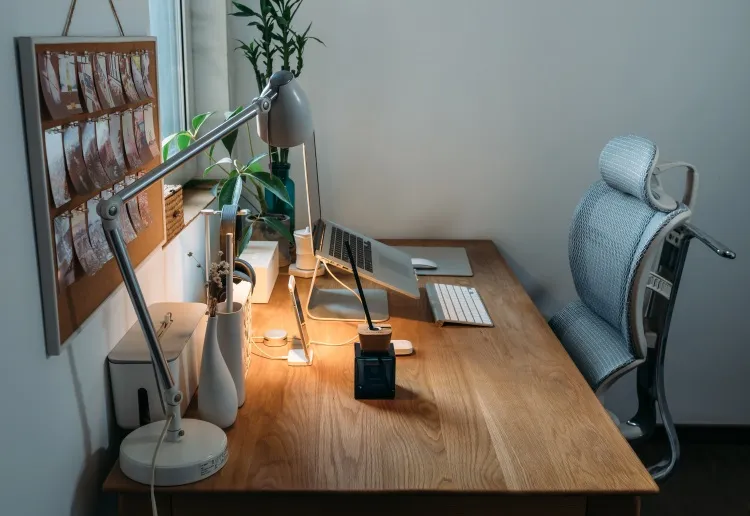
The mobile office trend is definitely growing, but I think one thing that needs more attention is ergonomics. Having a good workstation, whether at home or on the go, really impacts productivity in the long run.